Habitry app icon

Habits that fit
real life.

Count it, time it or cut back on it. Habitry tracks every kind of habit, and you can check in without opening the app.

Download on theApp StoreFree to download. Pro unlocks more.
  • No ads
  • No account
  • iCloud sync
  • Apple Health
Habitry Today screen with habits and progress rings
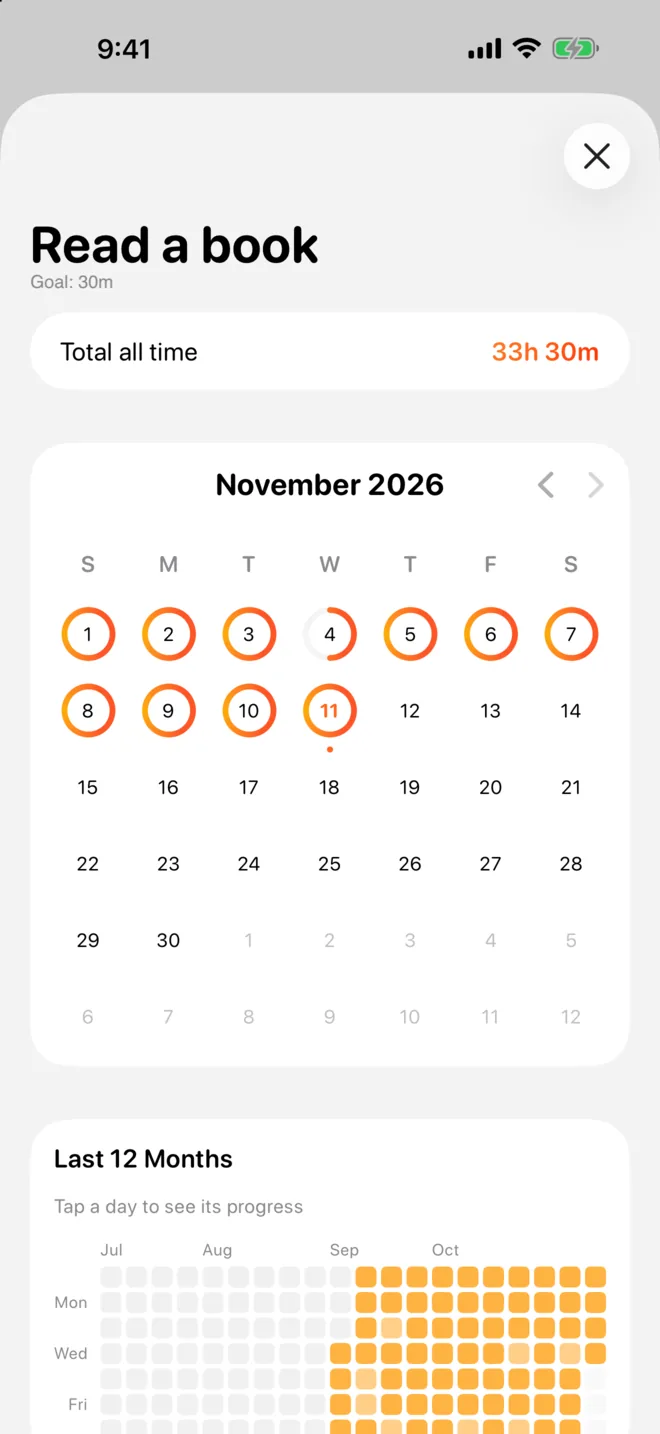
Habit statistics with streak and a 12-month grid

Features

Built around how habits
actually work.

Some habits are a count, some are a timer, some are about doing less. Habitry handles all of them.

Any kind of habit

Not every habit
is a checkbox.

Count glasses of water, time ten minutes of meditation, or set a limit for the things you want to do less of.

  • Count, timer and quit habits with daily or weekly limits
  • Specific weekdays, every few weeks, or a number of times a month
  • Your own start of day, so a late night still counts
Today screen with count, timer and quit habits

Timers

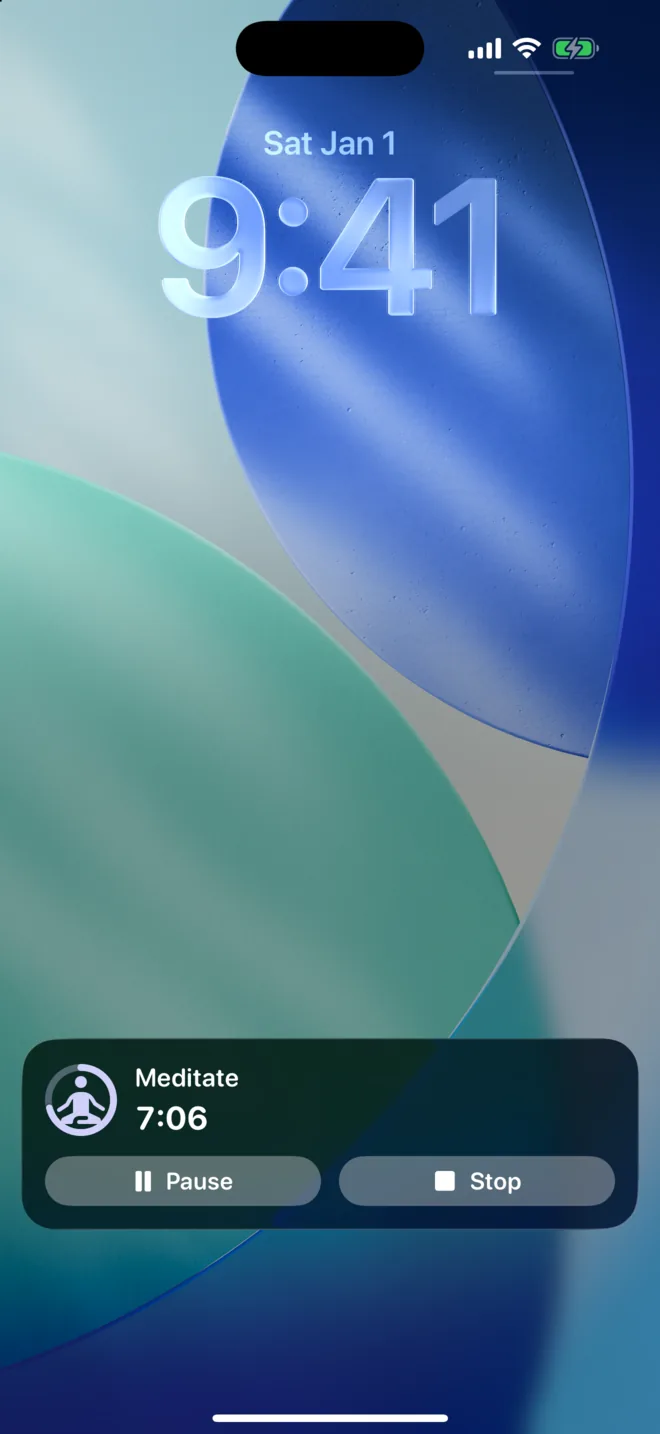
A timer that sits
on your Lock Screen.

Start a timer habit and keep going with your phone locked. Pause or stop it right from the Live Activity.

  • Live Activity with pause and stop
  • Timer reminders and goal notifications
  • Snooze any reminder for 15 minutes
Habitry timer running as a Live Activity on the Lock Screen

Widgets

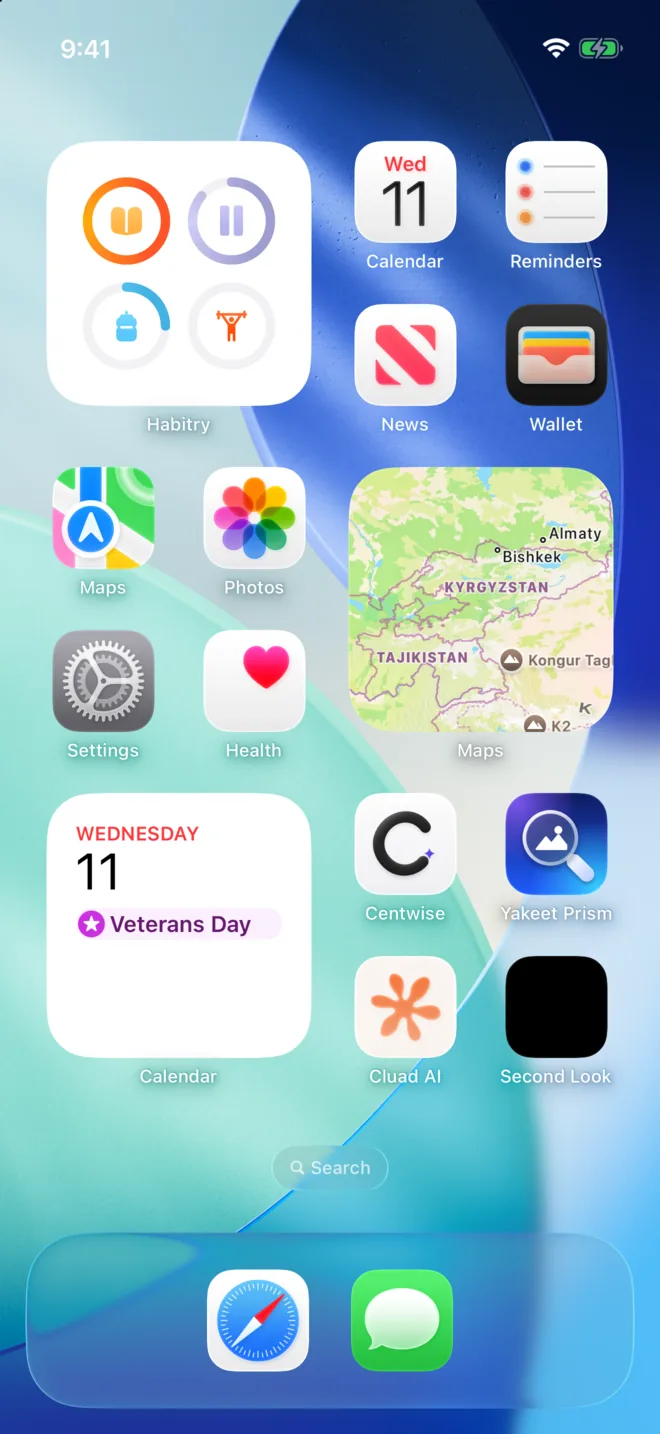
Check in from
the Home Screen.

Tap the ring on a widget to add a step or start and stop a timer, without opening the app.

Habitry widgets on the iPhone Home Screen

Progress

See how far
you’ve come.

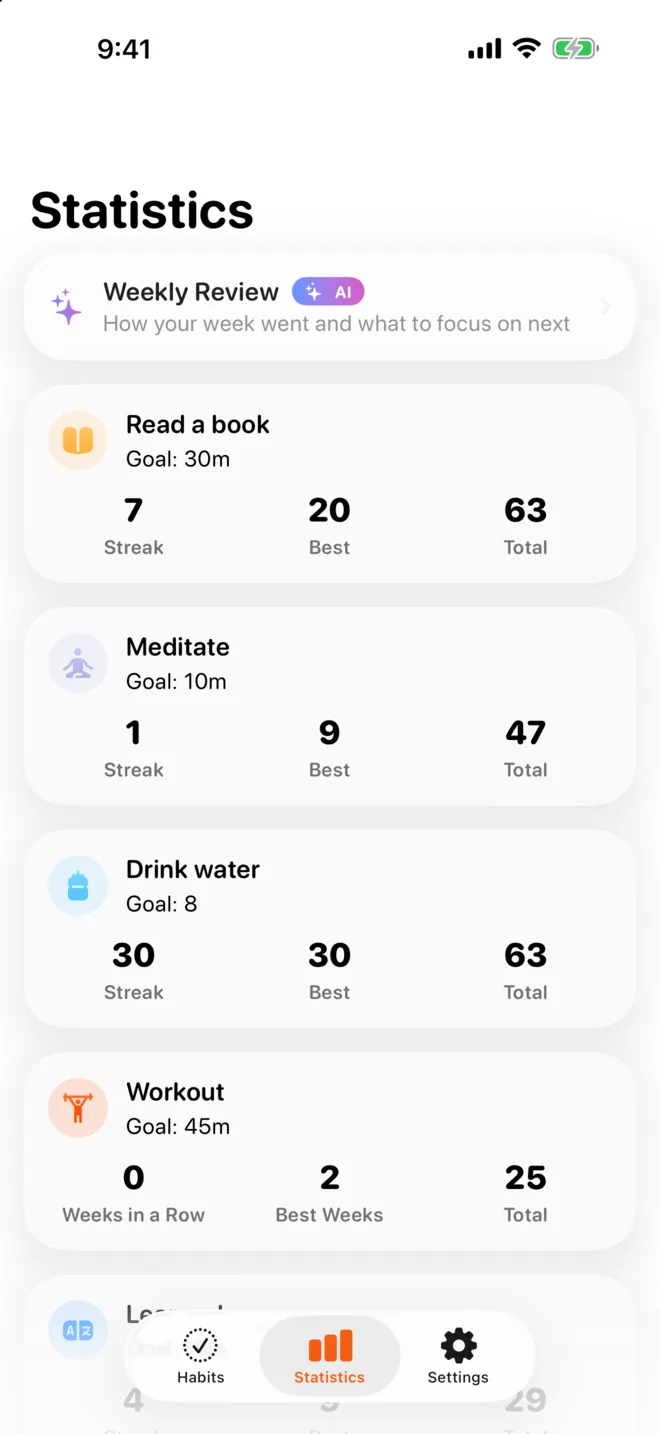
Every habit gets its own streak, calendar and charts, so you can see what is sticking.

  • Streaks and best streaks for each habit
  • A monthly calendar and a 12-month grid
  • Weekly, monthly and yearly charts
  • Day notes to remember what helped
Statistics for a single habit
Statistics for all habits

AI coach

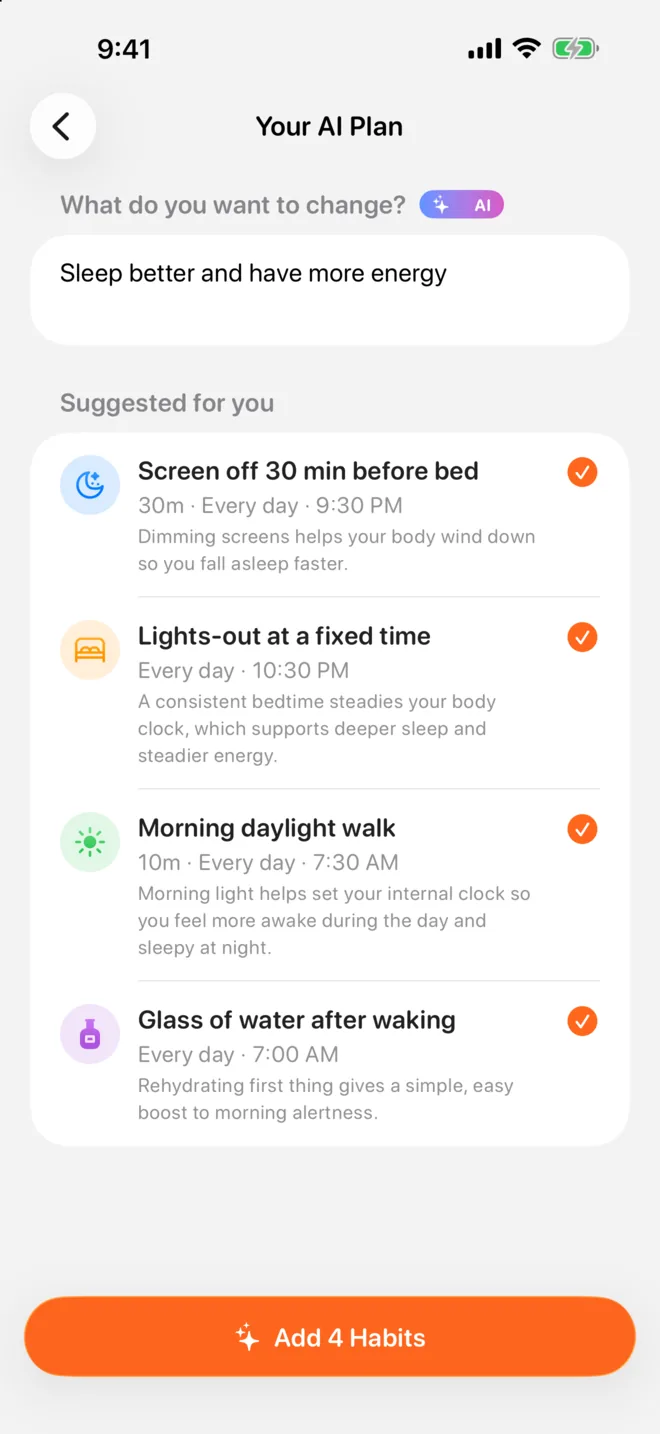
Say the goal.
Get a plan.

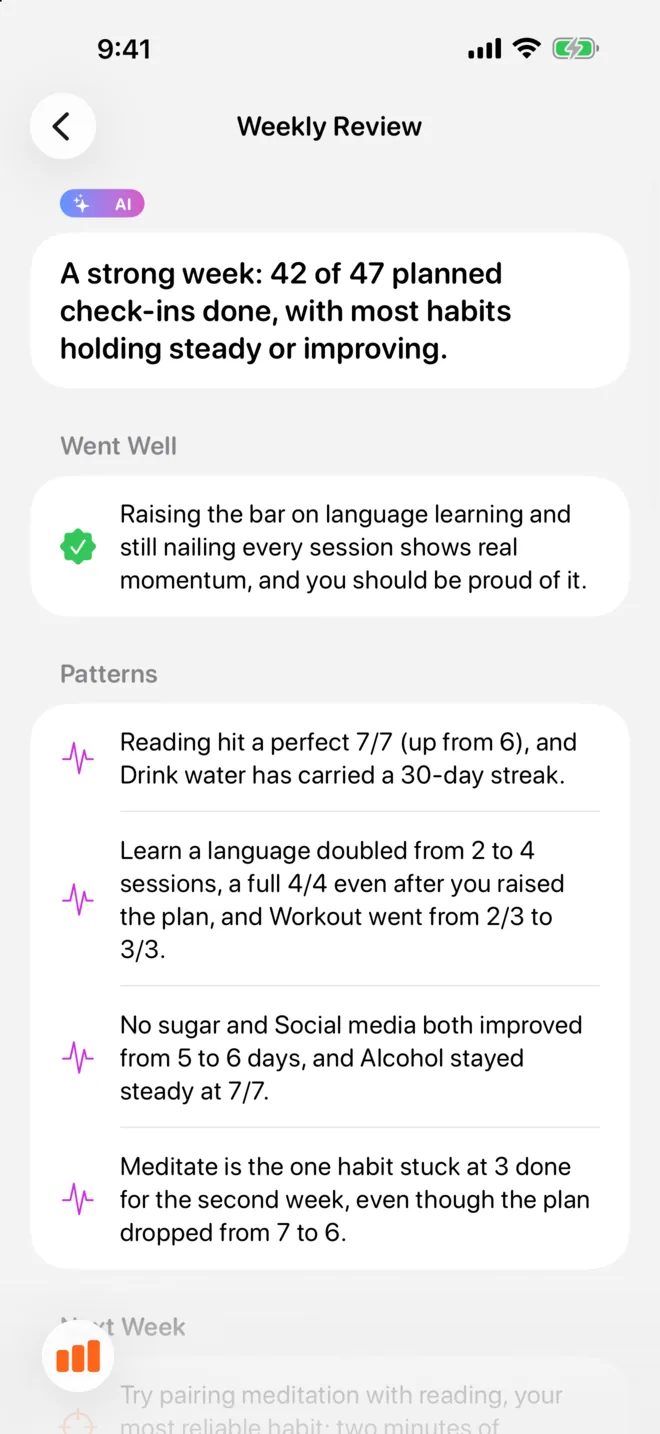
Describe what you want to change and Habitry suggests a few habits to get there. With Pro, a short weekly review shows what went well and what to focus on next.

AI plan suggesting habits for better sleep
AI weekly review of habits

And the details

Small things that add up.

Apple Health

Steps, sleep, water and other Health data can complete habits for you.

iCloud sync

Your habits follow you to a new iPhone through your private iCloud.

App Lock

Lock Habitry with Face ID if your habits are nobody else’s business.

Gentle reminders

Reminders you can snooze, and a badge with what’s left for today.

CSV export

Take your full history with you at any time.

Make it yours

Light and dark themes and a set of alternate app icons.

Privacy

Your habits stay yours.

No account, no ads, and no analytics tools. Habits live on your iPhone and in your private iCloud. Read the Privacy Policy.

  • No accountOpen the app and start. There is nothing to sign up for.
  • No ads, no analyticsNo advertising or analytics tools in the app.
  • AI on your termsAI runs on your device when possible. Server AI is used only when you ask, and nothing sent to it is stored.

FAQ

Questions, answered.

Something else? Write to support@cassianvire.com or visit Support.

Is Habitry free?

Yes, Habitry is free to download and use for a few habits, with no ads. Habitry Pro unlocks unlimited habits, detailed statistics, the AI coach and more. Prices are shown in the app.

Will I lose my habits if I change phones?

No, as long as iCloud is turned on for your Apple Account. Habitry syncs through your private iCloud and restores your habits when you install it with the same Apple Account.

The timer doesn’t show on my Lock Screen.

Check iPhone Settings → Habitry → Live Activities, and that Live Activities are allowed in Settings → Face ID & Passcode.

How do I restore Pro on a new iPhone?

Open the Habitry Pro screen and tap Restore Purchases, signed in with the same Apple Account you used to buy.

How do I cancel a subscription?

iPhone Settings → your name → Subscriptions → Habitry → Cancel Subscription. Deleting the app does not cancel it.

Start with one habit.

Free on the App Store for iPhone.

Download on theApp Store